Updated August 2026.
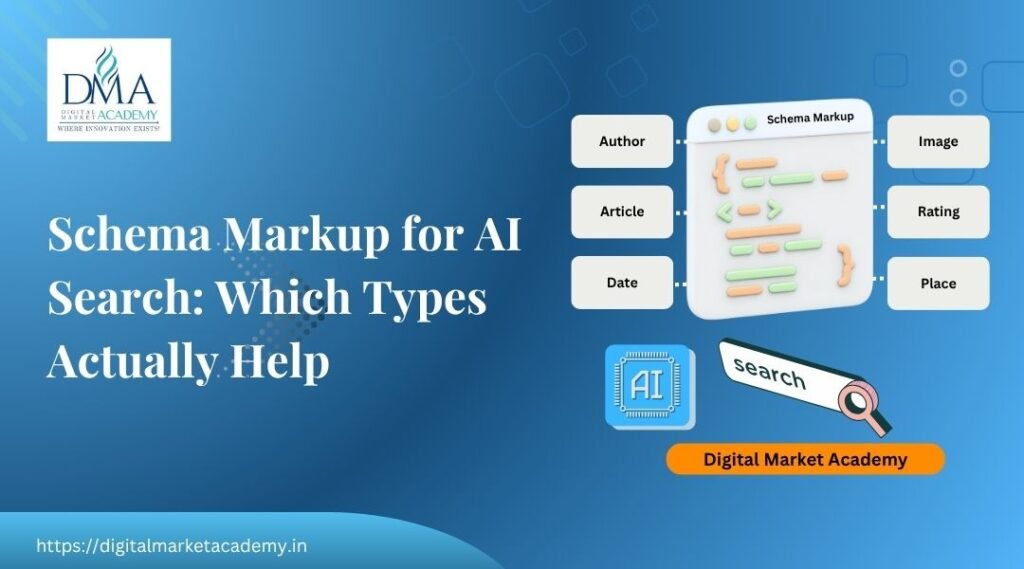
Schema markup is code that tells search engines and AI exactly what your content is, and it is one of the clearest ways to help AI understand and use your pages. It does not guarantee anything on its own, but it removes guesswork: instead of hoping a machine works out that a block of text is an FAQ or a product, schema states it plainly. This guide covers which schema types help with AI search, why structured data matters for AI, and how to add it.
It builds on our answer engine optimization guide and pairs with our free schema markup generator. Structured data is taught in our course syllabus.
TL;DR
- Schema markup is code (usually JSON-LD) that tells search engines and AI what your content is.
- The most useful types for AI search: FAQ, Article, HowTo, Product, Review and Organization.
- Schema removes ambiguity, so AI can understand and use your content more confidently.
- Add it in JSON-LD, pick the right type from schema.org, and validate with Google's Rich Results Test.
- Schema supports AI visibility, but it does not replace good, accurate content.
What is schema markup, and why does it matter for AI?
Schema markup is code, usually written in JSON-LD, that describes your content to machines. It tells search engines and AI, in a language they understand, that this block is an FAQ, this is a product with a price, this is an article by a named author. For AI search, that clarity is valuable, because AI works better when it is certain what your content is. Schema removes ambiguity, so instead of guessing, the machine knows, which makes your content easier to understand, surface and cite.
Which schema types help with AI search?
You do not need every schema type, just the ones that fit your content. The most useful for AI search are:
- FAQ schema: for question-and-answer content, ideal for answer results.
- Article schema: for blog posts and guides, describing the piece and its author.
- HowTo schema: for step-by-step instructions.
- Product schema: for products, with price, availability and reviews.
- Review and AggregateRating schema: for ratings and reviews.
- Organization schema: to establish your brand as a recognised entity.
Match the type to the page: an FAQ page gets FAQ schema, a guide gets Article, a product page gets Product. Our free schema markup generator builds valid markup for these.
How to add schema correctly
Adding schema is straightforward once you know the steps. Write it in JSON-LD, the format Google recommends, using the correct type from schema.org. Fill in the real details, do not invent ratings or FAQs that are not on the page, because false schema can be penalised. Place it in your page code, or use an SEO plugin like RankMath that manages schema for you. On WordPress, much of this is handled at the post level, so you often just fill in the fields. The key is accuracy: schema should describe what is genuinely on the page.
Always validate your schema
Invalid schema can be ignored by machines or cause errors, so always validate. Use Google's Rich Results Test to check your markup is correct and eligible, and fix anything it flags. This takes a minute and saves you from schema that silently does nothing. Note that the older Structured Data Testing Tool has been retired, so the Rich Results Test is the current tool. Validate after adding schema, and re-check if you change the page.
What schema can and cannot do
It is worth being clear about limits. Schema improves how well machines understand your content and makes you eligible for rich results and easier for AI to use. It does not, by itself, guarantee rich results, rankings or AI citations. It is a strong support, not a magic trigger. The content still has to be good, accurate and genuinely useful, as covered in our AI search optimisation guide. Think of schema as clear labelling on already-good content, not a substitute for it.
Schema on WordPress: the easy path
If your site runs on WordPress, adding schema is easier than it sounds, because an SEO plugin does much of the work. RankMath, for example, adds Article and BreadcrumbList schema to your posts automatically, and lets you add FAQ, HowTo, Product and other types through fields in the editor. So on many pages you are not writing JSON-LD by hand at all; you are filling in the right details and the plugin generates valid markup.
Two cautions still apply. First, keep the schema accurate: the FAQ schema should match the FAQs actually shown on the page, and ratings must be real, because false markup can be penalised. Second, still validate with the Rich Results Test, since a plugin can be misconfigured. For anything the plugin does not cover, or to learn how the code works, our free schema markup generator builds ready-to-paste JSON-LD. The combination of a plugin for the routine types and a generator for the rest covers almost every page.
Learn structured data hands-on
Schema clicks when you add it to a real page, validate it, and see it recognised. At Digital Market Academy in Bangalore you learn structured data hands-on within the SEO module, in small batches with live projects and founder-led teaching by Rajesh Menon. See the course syllabus, our classroom courses, or the main training page. The full vocabulary lives at schema.org.
A1. Schema markup is code, usually JSON-LD, that tells search engines and AI what your content is, such as an FAQ, an article, a product or a review. It removes ambiguity so machines can understand your pages.
A2. The most useful are FAQ, Article, HowTo, Product, Review and Organization schema. Match the type to the page: an FAQ page gets FAQ schema, a guide gets Article, a product page gets Product.
A3. No. Schema improves how well machines understand your content and makes you eligible, but it does not guarantee rich results or AI citations. Good, accurate content still matters most.
A4. JSON-LD, the format Google recommends. You place it in the page code, or use an SEO plugin that manages schema, and it describes your content to search engines and AI.
A5. Validate it with Google Rich Results Test, which checks it is correct and eligible. The older Structured Data Testing Tool has been retired, so the Rich Results Test is the current tool.
A6. Yes. Use a schema markup generator to build valid JSON-LD, or an SEO plugin like RankMath that manages schema through fields, then validate it before relying on it.
In short
Schema markup labels your content so search engines and AI know exactly what it is, which helps them understand, surface and cite you. Use the types that fit, FAQ, Article, HowTo, Product, Review and Organization, write them in JSON-LD with real details, and validate with the Rich Results Test. Schema supports AI visibility, but it works on top of good, accurate content, not instead of it. Add it to your important pages, keep it honest, and treat it as one reliable part of a broader AI-search effort rather than a shortcut on its own. Want to learn structured data hands-on? Start with the course syllabus at Digital Market Academy, Bangalore.

Rajesh Menon is a digital marketing trainer and strategist based in Bangalore, with over 15 years of experience in SEO, paid advertising, and digital growth planning. As the Founder and CEO of Digital Market Academy, he combines hands-on execution with long-term strategy, and is known for turning complex marketing ideas into skills his students can actually apply.
At the academy’s Kasturinagar centre, he leads classroom training programmes and digital marketing bootcamps, and mentors undergraduate and postgraduate students through on-campus sessions. He also delivers corporate and government digital marketing training, including digital skilling programmes for central government organisations such as India Post, along with digital enablement workshops for MSMEs and startups, a client list that continues to grow.
He writes regularly on the Digital Market Academy blog, breaking down real strategies, tools, and case studies for learners and business owners across India.