Updated August 2026.
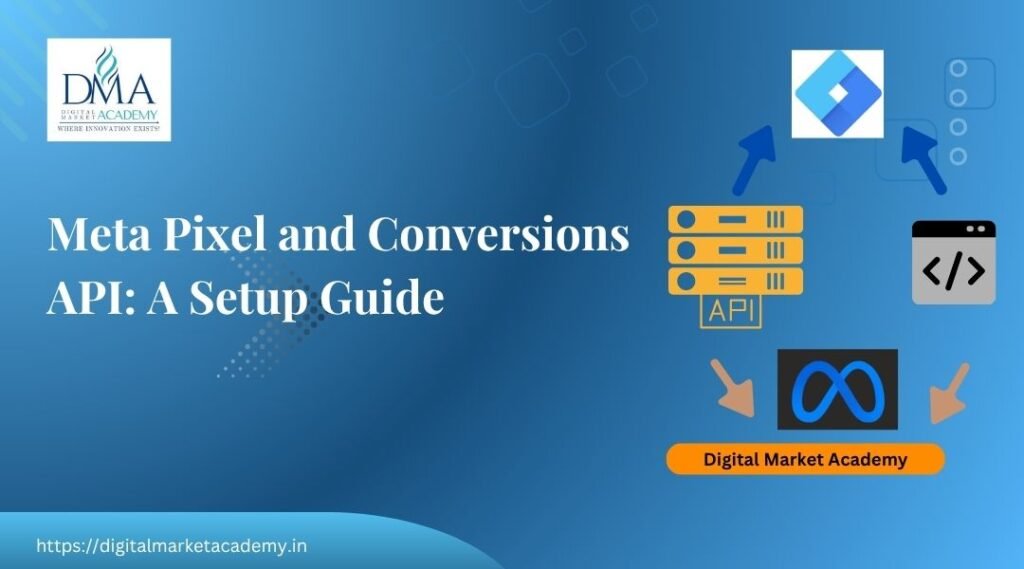
The Meta Pixel and Conversions API are how you tell Facebook and Instagram what happens after someone clicks your ad, so Meta can measure conversions and optimise toward real results. The Pixel tracks actions in the browser, and the Conversions API (CAPI) sends the same data server-side, which is more reliable as browsers restrict tracking. Set them up and your Meta Ads get smarter. Skip them and Meta is optimising blind. This guide explains both and how to set them up.
It supports our Meta Ads guide, and pairs with our GA4 conversion tracking and Google Tag Manager guides. It is all taught in our course syllabus.
TL;DR
- The Meta Pixel tracks actions in the browser; the Conversions API (CAPI) sends the same data server-side.
- Together they let Meta measure conversions and optimise ad delivery toward people likely to convert.
- Set up the Pixel through your site or Google Tag Manager, then add CAPI for reliability.
- Track the events that matter (purchase, lead, add-to-cart) and always test before trusting the data.
- Without them, conversion campaigns and Advantage+ cannot work properly.
What is the Meta Pixel?
The Meta Pixel is a small piece of code on your website that tracks what visitors do, such as viewing a product, adding to cart or making a purchase, and reports those actions to Meta. This is what lets Meta measure whether your ads led to real outcomes, build audiences from your visitors, and optimise delivery toward people likely to take the action you want. Without it, Meta knows people clicked your ad but has no idea what happened next.
What is the Conversions API (CAPI)?
The Conversions API sends the same conversion data to Meta from your server, rather than only from the visitor's browser. This matters more every year, because browsers increasingly restrict cookies and tracking, which means the browser-based Pixel alone now misses some events. CAPI fills those gaps with reliable server-side data. The Pixel and CAPI are not either-or; you use both together, so Meta gets the most complete picture possible.
Why do you need both?
You need both so Meta can measure conversions reliably and optimise toward them. Meta's delivery is only as smart as the data it receives, so with clean Pixel and CAPI signals, it can find more of the people who convert and spend your budget efficiently. This is also why conversion campaigns and Advantage+ depend on tracking: give Meta good signals and its automation works, as covered in our Meta Ads guide. Starve it of data and even the best campaign structure underperforms.
How do you set up the Meta Pixel?
You can add the Pixel directly to your site or deploy it through Google Tag Manager, which many teams prefer because it keeps all tracking in one place. The broad steps:
- Create the Pixel in your Meta Business account (Events Manager).
- Install the base code on your site, directly or via Google Tag Manager.
- Add event tracking for the actions that matter, such as purchase, lead or add-to-cart.
- Set up CAPI, often through a partner integration or your provider, to send server-side data.
- Test everything before trusting it, using Meta's testing tools.
On WordPress and WooCommerce, an official integration or plugin usually handles much of this, which keeps it simpler for smaller sites.
Which events should you track?
Track the events that reflect real business outcomes, not every click. For an e-commerce store that usually means view content, add to cart, initiate checkout and purchase. For a lead business it means lead or contact. Focusing on meaningful events keeps your optimisation aimed at outcomes that matter, and keeps your reports readable. This mirrors the thinking in our GA4 conversion tracking guide, where you also mark only the important actions.
Always test before you trust
Tracking that looks set up but is silently broken is worse than no tracking, because you make decisions on bad data. So after setup, test: perform the action yourself and confirm the event registers in Meta's tools. Do this before scaling spend, and re-check after any site change. A few minutes of testing protects weeks of budget. This habit, verify before you trust, applies to all measurement, whether Meta, GA4 or Tag Manager.
How it fits your full measurement setup
The Meta Pixel and CAPI do not work in isolation. They sit alongside GA4 and Google Tag Manager to give you a complete view: Meta measures and optimises your Facebook and Instagram ads, while GA4 shows the wider journey across your site and channels. Deploying the Pixel through Tag Manager keeps everything tidy in one container. Together, these tools turn guesswork into decisions grounded in real data, which is the foundation of profitable advertising.
A Bangalore example
A D2C brand in Koramangala installs the Pixel through Google Tag Manager, adds CAPI via its store integration, and tracks add-to-cart and purchase. Now its Advantage+ shopping campaigns optimise toward actual buyers, retargeting works for people who added to cart but did not check out, and the team can see cost per purchase clearly. Before this, the same ads were spending blind. The setup took an afternoon and changed the results, which is why tracking comes first.
Learn ad tracking hands-on
The Pixel and CAPI make sense once you set them up on a real store and watch conversions flow into Meta. At Digital Market Academy in Bangalore you learn ad tracking hands-on within the ads and analytics modules, with live projects and founder-led teaching by Rajesh Menon. See the course syllabus, our classroom courses, or enrol or ask for a call back. Meta's own guidance is on the official Meta for Business site.
The Pixel is what makes Meta lead ads measurable. See the full method in our guide to Meta ads lead generation.
A1. The Meta Pixel is code on your website that tracks actions visitors take, such as viewing a product or purchasing, and reports them to Meta. It lets Meta measure ad results, build audiences and optimise delivery.
A2. CAPI sends the same conversion data to Meta from your server rather than only the browser. As browsers restrict tracking, it makes measurement more reliable and complements the Pixel.
A3. Yes, ideally. Together they give Meta more complete, reliable conversion data, so it can measure results accurately and optimise toward people likely to convert. Conversion campaigns and Advantage+ depend on this.
A4. Create the Pixel in Meta Events Manager, then install it on your site directly or through Google Tag Manager, add event tracking for the actions that matter, set up CAPI, and test before trusting the data.
A5. Track events that reflect real outcomes, such as purchase, lead, add-to-cart or contact, rather than every click. Focusing on meaningful events keeps optimisation and reporting clear.
A6. Conversion campaigns and Advantage+ cannot optimise properly, because Meta has no conversion signals. You end up spending blind, so setting up the Pixel and CAPI before scaling is essential.
In short
The Meta Pixel and Conversions API are the tracking foundation of profitable Meta Ads. The Pixel tracks browser actions, CAPI adds reliable server-side data, and together they let Meta measure conversions and optimise toward real results. Deploy them through Google Tag Manager, track the events that matter, and always test before you trust. Get this right before scaling spend. Want to learn ad tracking hands-on? Start with the course syllabus at Digital Market Academy, Bangalore.

Rajesh Menon is a digital marketing trainer and strategist based in Bangalore, with over 15 years of experience in SEO, paid advertising, and digital growth planning. As the Founder and CEO of Digital Market Academy, he combines hands-on execution with long-term strategy, and is known for turning complex marketing ideas into skills his students can actually apply.
At the academy’s Kasturinagar centre, he leads classroom training programmes and digital marketing bootcamps, and mentors undergraduate and postgraduate students through on-campus sessions. He also delivers corporate and government digital marketing training, including digital skilling programmes for central government organisations such as India Post, along with digital enablement workshops for MSMEs and startups, a client list that continues to grow.
He writes regularly on the Digital Market Academy blog, breaking down real strategies, tools, and case studies for learners and business owners across India.