Free Tool — No Login Required

Free Google Ads RSA Builder

Generate 15 headlines and 4 descriptions for your Responsive Search Ads, then edit every line in place. Live ad strength, Google policy checks, a real combination preview and a Google Ads Editor CSV — all free.

15Headlines
4Descriptions
30 / 90Char Limits
CSVEditor Export
FreeAlways

Build Your Responsive Search Ad

Fill in your product or service details and we will generate a full set of RSA headlines and descriptions ready to paste into Google Ads.

What you are advertising (max 80 characters)
What you want users to do (max 40 characters)
Comma-separated. Add your top 3 to 5 keywords for the best results.
Max 50 characters per USP. These feed directly into your headlines.
City or area you serve
Must be true and shown on your landing page
Landing page & display path for the preview and CSV export
Where the click goes
0/15 characters
0/15 characters
DMA students only — unlocks the coaching notes and PDF worksheet
Ad Strength
Good
    Headlines
    Max 30 characters each. Every line is editable — change the wording and the score, preview and export all update.
    Descriptions
    Max 90 characters each. Google needs at least two, and shows up to two at a time.
    Ad Preview
    Pinning
    Set a position on any headline above to pin it.

    The CSV imports straight into Google Ads Editor: Account › Import › From file. Only ticked assets are exported.

    You have used your 10 free builds for today

    Your daily limit resets at midnight IST. Re-running an identical build is always free, so you can keep editing the assets you already have on screen.

    Want the occasional RSA tip and a heads-up when new tools go live? Leave your email — entirely optional, and nothing here is gated behind it.

    Four steps to a complete RSA

    The whole process takes under three minutes.

    1
    Enter your product and keywords

    Add your product or service name and the target keywords you want the ad to rank for. Include your top three to five keywords for the best results.

    2
    Add your USPs

    List the things that make your offer stand out, such as certifications, pricing, turnaround time, or guarantees. These become your strongest headlines.

    3
    Choose your objective

    Select whether the campaign is focused on lead generation, sales, traffic, or brand awareness. The tool adjusts the CTA language accordingly.

    4
    Edit, then export

    Every line is editable. Reword anything that does not sound like you, watch the ad strength and policy checks update as you type, then copy the assets or download the Google Ads Editor CSV.

    Write RSAs that actually perform

    These are the habits that separate mediocre RSAs from the ones that consistently hit Good or Excellent ad strength.

    🎯
    Use all 15 headlines

    Every empty slot is a missed opportunity. Google needs variety to test combinations, and filling all 15 positions is the single biggest factor in reaching Excellent ad strength.

    🔍
    Include your keyword in at least two headlines

    Google bolds keywords that match the search query, which increases click-through rate. Add your primary keyword in two or three headlines worded slightly differently.

    📋
    Avoid repeating the same message

    If three of your headlines say "Enrol Now," Google treats them as the same signal and ad strength drops. Spread your messages across keyword, benefit, CTA, question, and trust themes.

    📌
    Pin only your most critical headline

    Pinning reduces Google's ability to mix and match, which can lower ad strength. Only pin if there is a message that absolutely must appear, like a brand name or a legal disclosure.

    📈
    Watch the Asset report

    After two to four weeks, check the Asset report in Google Ads. Remove headlines marked "Low" and test new angles. RSAs improve over time with regular headline refreshes.

    Match your landing page to your strongest headline

    If your top-performing headline promises a free consultation, your landing page should lead with that offer. Message match between ad and page improves Quality Score and conversion rate.

    Related tools and guides

    Once your RSA copy is ready, these resources will help you squeeze more performance out of every campaign.

    Common questions about RSAs

    What is a Responsive Search Ad (RSA)?
    A Responsive Search Ad lets you enter up to 15 headlines and 4 descriptions. Google then automatically tests different combinations to find the ad copy that performs best for each user's search query.
    How many headlines and descriptions should I use?
    Always use all 15 headlines and all 4 descriptions. Google needs variety to optimise effectively, and filling every slot gives the algorithm the most combinations to test, which improves ad strength.
    What is Google Ads ad strength?
    Ad Strength is Google's rating of how well your RSA copy covers different themes and includes relevant keywords. Ratings go from Poor to Good to Excellent. Aim for Good or Excellent to improve your Ad Rank and reduce cost per click.
    Should I pin headlines in my RSA?
    Pin sparingly. Pinning a headline forces it to appear in a fixed position, which reduces Google's ability to test combinations and can lower ad strength. Only pin your most critical message, such as your primary keyword or brand name in position 1.
    What is the character limit for RSA headlines and descriptions?
    Each RSA headline can contain a maximum of 30 characters including spaces. Descriptions can be up to 90 characters each. This tool shows a character count badge on every field so you can see at a glance whether you are within limits.
    How does Google choose which headlines to show?
    Google uses machine learning to show the combination of headlines and descriptions most likely to result in a click or conversion for each individual search. Headlines that perform consistently well across many combinations are shown more often over time.
    Can I include my main keyword in multiple headlines?
    Yes, and you should. Including your primary keyword in two or three different headlines, worded slightly differently each time, increases the chance the keyword will appear in the final ad, which improves relevance and Quality Score.
    Are RSAs different from ETAs?
    Yes. Google retired Expanded Text Ads (ETAs) in June 2022. Responsive Search Ads are now the only standard text ad format available for new Search campaigns. If you still have active ETAs they will continue serving, but you cannot create new ones.
    How many times can I use this tool for free?
    You can generate RSA copy up to 10 times per day for free, with no account or credit card required. The limit resets at midnight IST and is tied to your connection, not a login. Re-running an identical build is free and does not use up an attempt, so you can keep refining the assets on screen as much as you like.
    How do I improve a Poor ad strength rating?
    Add more unique messages, include your primary keyword in at least two headlines, use all 15 headline slots, make sure headlines cover different themes (keyword, benefit, CTA, question, trust), and avoid pinning too many positions. Also check that none of your headlines repeat the same message.
    Does this tool save my data?
    Your inputs may be cached for up to 30 days to speed up repeat generation for the same product. No personal data is stored unless you voluntarily provide your email address for our notification list. We do not sell or share email addresses.
    Can I use the generated headlines in Google Ads Editor?
    Yes. Click "Copy All Headlines" to copy the full list to your clipboard, then paste it into a text editor or directly into the RSA headlines section in Google Ads Editor. You can also copy individual headlines one by one using the copy buttons on each card.

    Built by practitioners, for practitioners

    This tool was built by the team at Digital Market Academy in Bangalore. We train working professionals and founders in performance marketing, and we built this RSA builder to solve a real problem our students face: spending too much time staring at a blank headline box in Google Ads.

    Google Ads Certified Bangalore-Based Free, Always No Signup Required

    Want to Master Google Ads?

    Join Rajesh Menon's live Google Ads course at Digital Market Academy and learn campaign strategy, Smart Bidding, RSA testing, and landing page optimisation from the ground up.

    Exclusive to DMA Students

    Every DMA Student Gets a Learning App That Goes With Them

    Most digital marketing institutes hand you printed notes and a WhatsApp group. DMA gives you a full student portal — available on your phone, built around your real life, not a fixed classroom schedule.

    📱

    Learn on Your Phone, Anytime

    Every module, every lesson, every resource — fully accessible on your smartphone. Resume mid-lesson on your commute, during a lunch break, or whenever you have a free 10 minutes. The portal remembers exactly where you left off.

    🧪

    Campaign Lab — Practice Without Risk

    Simulate real Meta and Google ad campaigns inside the portal without spending a single rupee. Set objectives, define audiences, set budgets — see predicted reach, CTR and cost per click. Learn by doing before you ever touch a live account.

    🎥

    Live Sessions & Recordings

    Join live sessions with your trainer and batch — and if you miss one, the recording is waiting for you in the portal. Set reminders for upcoming classes so nothing slips past you.

    📝

    Module Tests & Batch Ranking

    Each module ends with a quiz that tests what you have actually learned. Track your average score, your daily learning streak and your live ranking within your batch. You always know exactly where you stand.

    💼

    Job Board Curated for Your Batch

    Real digital marketing job openings — from social media manager to SEO executive to performance marketer — shared directly with your batch as they come in. Register your interest in one tap. No middlemen, no cold applications.

    📄

    Personal Instructor Feedback on Your Project

    Your capstone campaign project is reviewed and graded personally by your trainer — not auto-graded, not AI-checked. You get written feedback on what worked, what to improve, and a score that goes on your certificate.

    🏗

    Verified Digital Certificate

    On completion you receive a DMA certificate with a unique verification ID. Download it, share it directly to LinkedIn, or let recruiters verify it independently. It is a credential that holds up to scrutiny.

    📚

    Templates, Tools & Downloads

    Inside the portal you get ready-to-use templates: Meta ad copy formulas, Google Ads budget planners, SEO keyword checklists and more. Tools practitioners actually use — yours to download and keep, not just study.

    I open the app on my commute, when I’m free, even when I’m out with friends and we’re just chilling — I’d just keep going. It’s so easy to learn from because it’s always there on your phone and it picks up exactly where you left off. That consistency made a real difference for me.
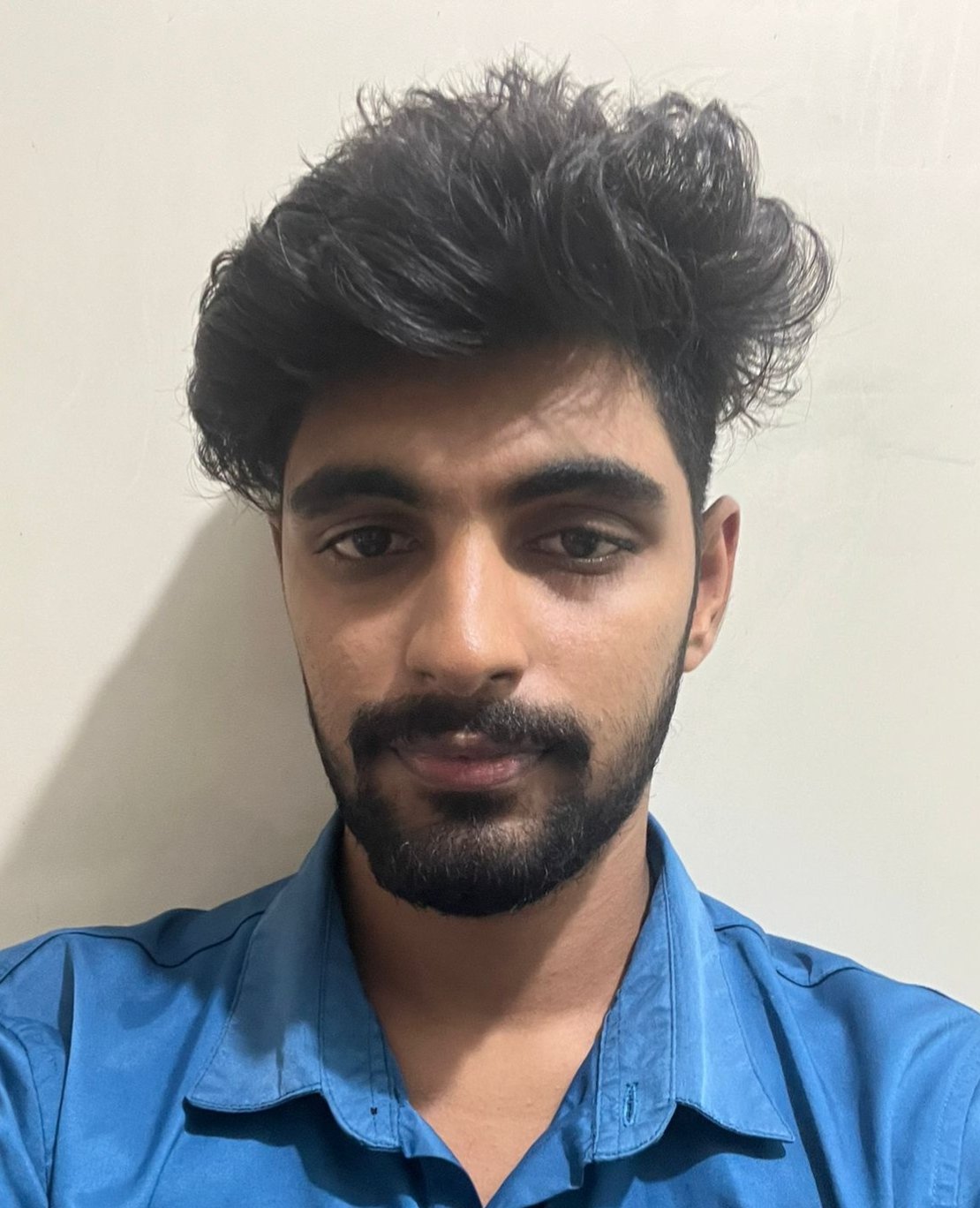
    Vinod A., DMA student
    Vinod A.
    DMA Student — Digital Marketing Course

    Batches are small — max 6 students. Enquire early to check availability.

    Enquire About the Course → 💬 WhatsApp Us

    Explore More Free Digital Marketing Tools

    All 16 tools are 100% free — no login, no email, no signup required.

    See all tools in one place →
    🎯

    Google Ads Tools

    📱

    Meta Ads Tools

    💼

    LinkedIn Ads Tools

    🔍

    SEO, Research & More

    Aradhana
    Aradhana
    Your Course Finder